

Create your account
- Go to chatfeatured.com/login and choose Start free trial.
- Sign up with Google, or with your name, email and a password.
- If you used email and password, click the link in the verification email.
Choose how to start
- I’m a Brand opens the setup wizard below.
- I’m an Agency opens a booking page to talk to our team. See Agency workspaces.
The setup wizard
1
About you
Pick how you heard about ChatFeatured and your role.
2
Brand
Fill in:
- Brand Name: the name AI answers should mention.
- Brand Website: your site’s domain, like
example.com. - Primary Market: the country your prompts are tracked in to start.
- Content Language: the language ChatFeatured writes in for this project.
3
Competitors
Search for competitors and add at least 3.
4
Brand Book
Review what ChatFeatured wrote about your brand from your website and fix anything that’s wrong. The agent and the article writer use this, so it’s worth a minute.
5
Prompts
Review the prompts ChatFeatured drafted, each with its search demand. Edit or delete any, group them into topics, or add your own in the Add your own prompt… box.
6
Models
Optional. Tell us which AI engines matter most to you. Your plan sets which engines are tracked.
7
Search Console and Google Analytics
Optional. Connect Google Search Console and a Google Analytics 4 property, or skip and connect later.
8
Finish
Pick Starter or Growth and click Activate trial to open checkout. A card is required, and you aren’t charged until the 7-day trial ends. During the trial you can generate up to 5 AI articles; every other limit applies in full. See The free trial.Once the trial is active, your prompts run every day. If you’d rather have a guided start, Book a Call books an onboarding call instead.
Your first day
After checkout you land on the Getting Started page. You can come back to it any time from Getting Started at the bottom of the sidebar.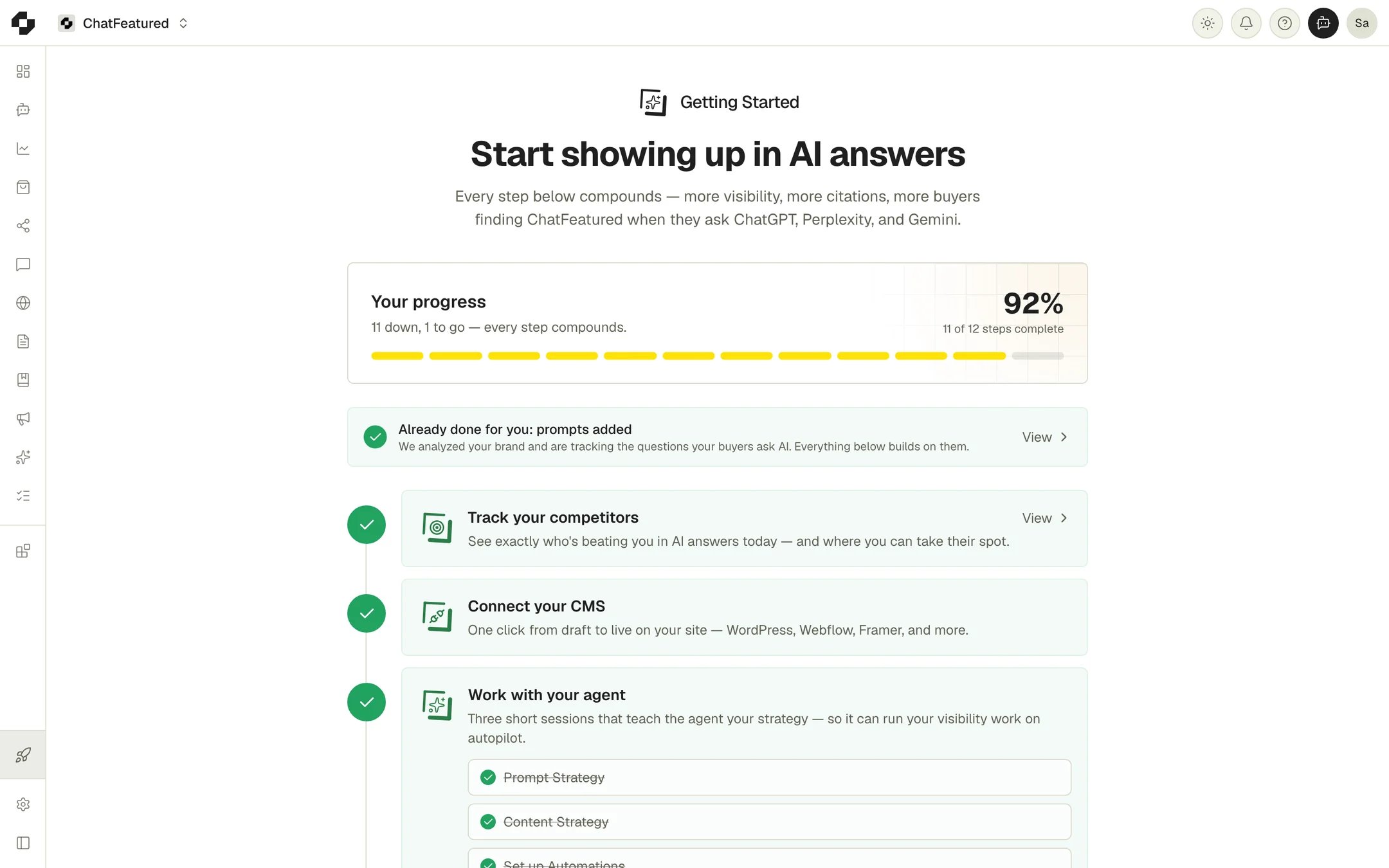
1
Connect your CMS
Click Connect CMS to connect the site you’ll publish articles to: WordPress, Webflow, Ghost, HubSpot, Wix, Sanity, Framer, Shopify or a Git-based CMS. Or let ChatFeatured host the blog with the Blog CMS. See Integrations.
2
Work with your agent
Three short sessions with the agent: Prompt Strategy, Content Strategy and Set up Automations. Content Strategy opens Articles, where Let’s get started suggests articles to write.
3
Publish your first article
Approve an article idea and ChatFeatured writes it. Review the draft, then publish or schedule it. See Articles.
4
Audit your site
Click Start Audit to check your pages for issues that stop AI crawlers reading them. See Site audit.
5
Set up Index Submissions
Click Set up Indexing and we submit your site to AI search engines directly. See Index submissions.
Next steps
Key concepts
What Visibility, citation rate and sentiment measure
Analytics
Read trends, rankings and cited sources
Knowledge Base
Add files, URLs and text the agent can draw on
Projects
Add more projects and manage the ones you have