

How an audit works
An audit has two steps. The first is free. The second uses credits.1
Run site audit: find your pages and check the site
The first time you open Site Audit, click Run site audit. ChatFeatured reads your sitemap and follows internal links to list your pages, and runs the site-wide checks (robots.txt, sitemap, llms.txt, HTTPS). It changes nothing on your site and doesn’t score pages yet.After the first run, the button reads Find new pages. Use it when you’ve added pages or changed your robots.txt or sitemap.
2
Audit pages: score each page
Click Audit all N pages to open the Run page audits sheet. It shows the scope, the estimated time, and how many credits the run uses. Click the audit button in the sheet to start.To audit part of the site, pick a folder in the site tree first (the button becomes Audit /blog (N pages)), or select rows in the table and click Run N audits.
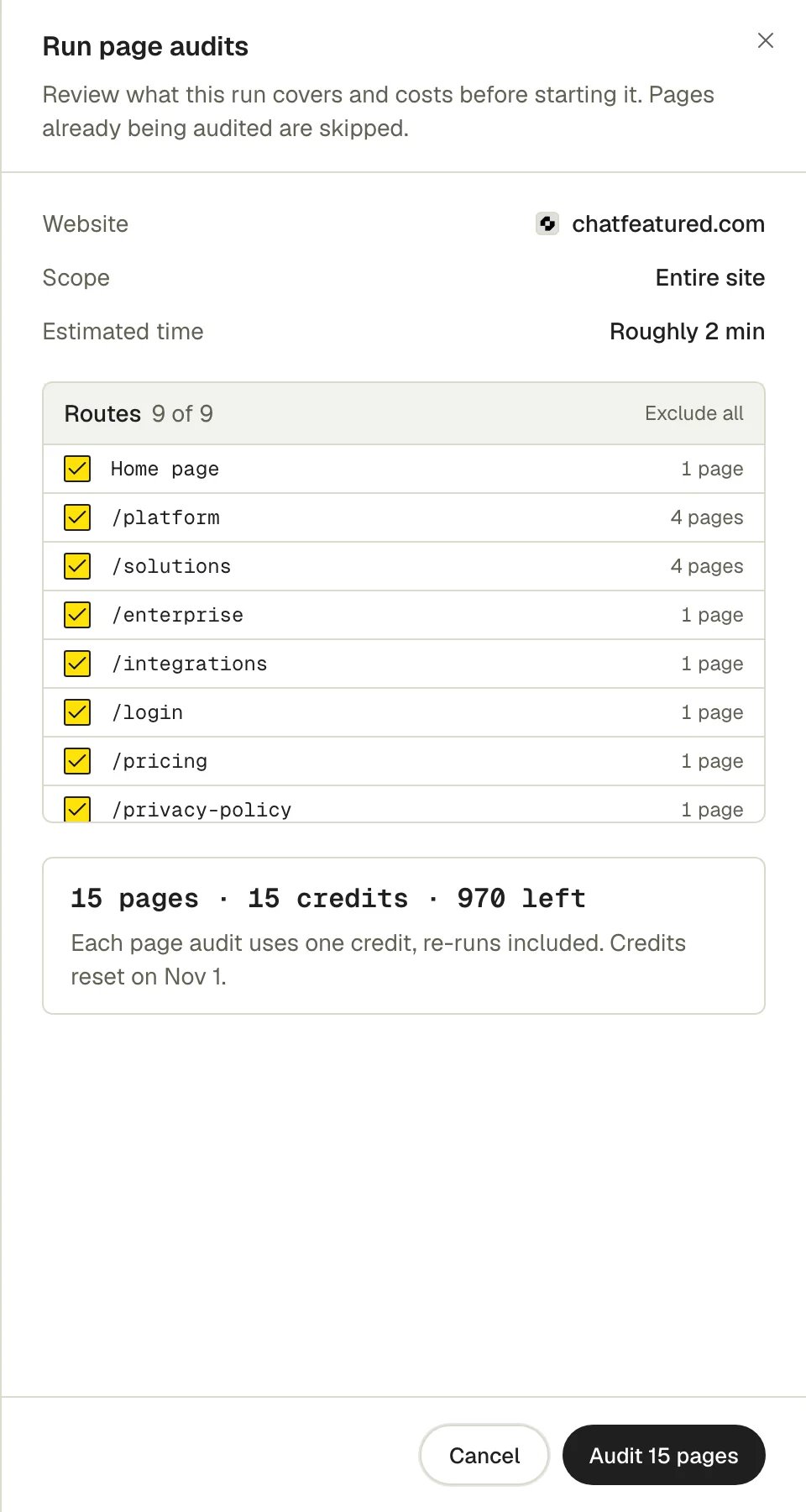
Page audit credits
Every page audit uses one credit, including re-audits. Credits are shared across the workspace and reset with your billing cycle.
If a run needs more credits than you have, the sheet warns “Some pages will be skipped” and audits as many as your balance covers.
Scores
Each audited page gets three scores from 0 to 100:- Technical: can crawlers reach, load and index the page (status, redirects, HTTPS, links, canonical and robots tags).
- Content: how the page presents itself and reads (title, description, social tags, length).
- AEO: can AI answer engines read and quote it (structured data, direct answers, citation signals, content that loads without JavaScript).
What it checks
Site-level checks run on every site audit: robots.txt and sitemap reachable and valid, sitemap listed in robots.txt, a valid HTTPS certificate with HTTP redirecting to HTTPS, AI crawlers allowed, llms.txt present and valid, and unique page titles and meta descriptions across your audited pages. Page-level checks run when you audit a page. They cover the page’s status code, indexability (including robots.txt), canonical and redirects, broken internal links, mixed content, title and meta description, Open Graph tags, content length, JSON-LD structured data, whether the content loads without JavaScript, heading structure, answer format, citation authority, and whether the page can be quoted in AI answers.AI crawlers in robots.txt
The AI Crawlers Allowed check sorts crawlers into two groups, because blocking each costs you something different.- Answer crawlers fetch pages to answer questions or build a search index: OAI-SearchBot, ChatGPT-User, Claude-SearchBot, Claude-User, PerplexityBot, Googlebot and Bingbot. Blocking any of them takes your site out of that product’s answers, so it’s critical.
- Training crawlers collect training data, such as GPTBot, ClaudeBot, Google-Extended, Applebot-Extended and CCBot. Blocking only these is reported as info, since it doesn’t affect where you show up in AI search. The exception: blocking Google-Extended also stops the Gemini app grounding answers in your site.
llms.txt
When an llms.txt check fails, click Generate LLMs.txt fix. ChatFeatured drafts anllms.txt for your site. Copy or download it, publish it at the root of your website, then click Re-run checks.
Explore your site
Site Audit opens on the Explore view. The site tree on the left narrows everything to a folder, and the header shows the scores and issue counts for that scope.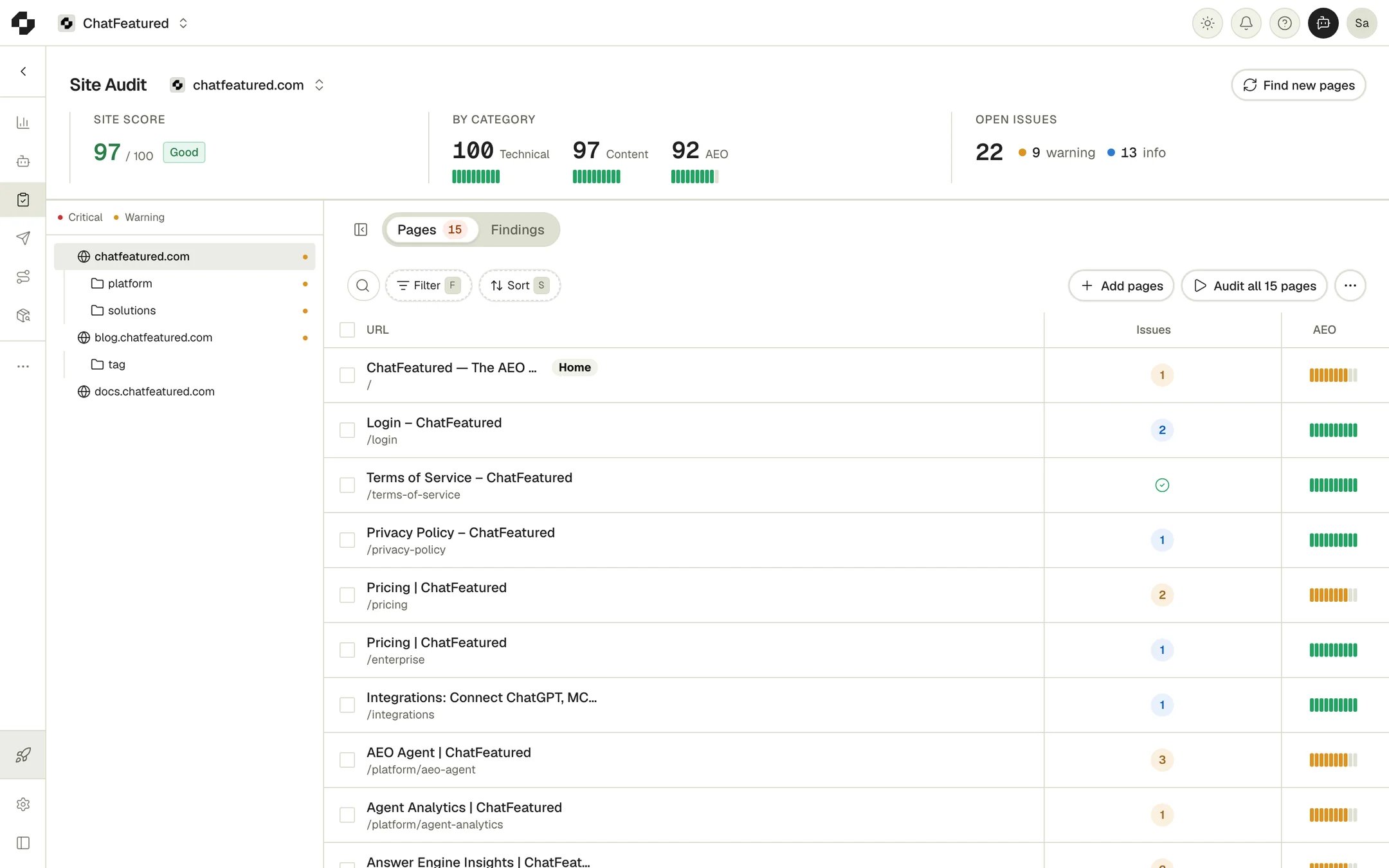
- Pages tab: every discovered page. Filter by status, issues, page type and (with Search Console connected) index status. The actions menu has Columns, Export pages CSV, Export issues CSV and Share view.
- Findings tab: everything that’s open. Start with these pages suggests where to begin, weighted by traffic when Search Console is connected. Site-level checks and Page issues list the open issues, with Add all to send them to Tasks.
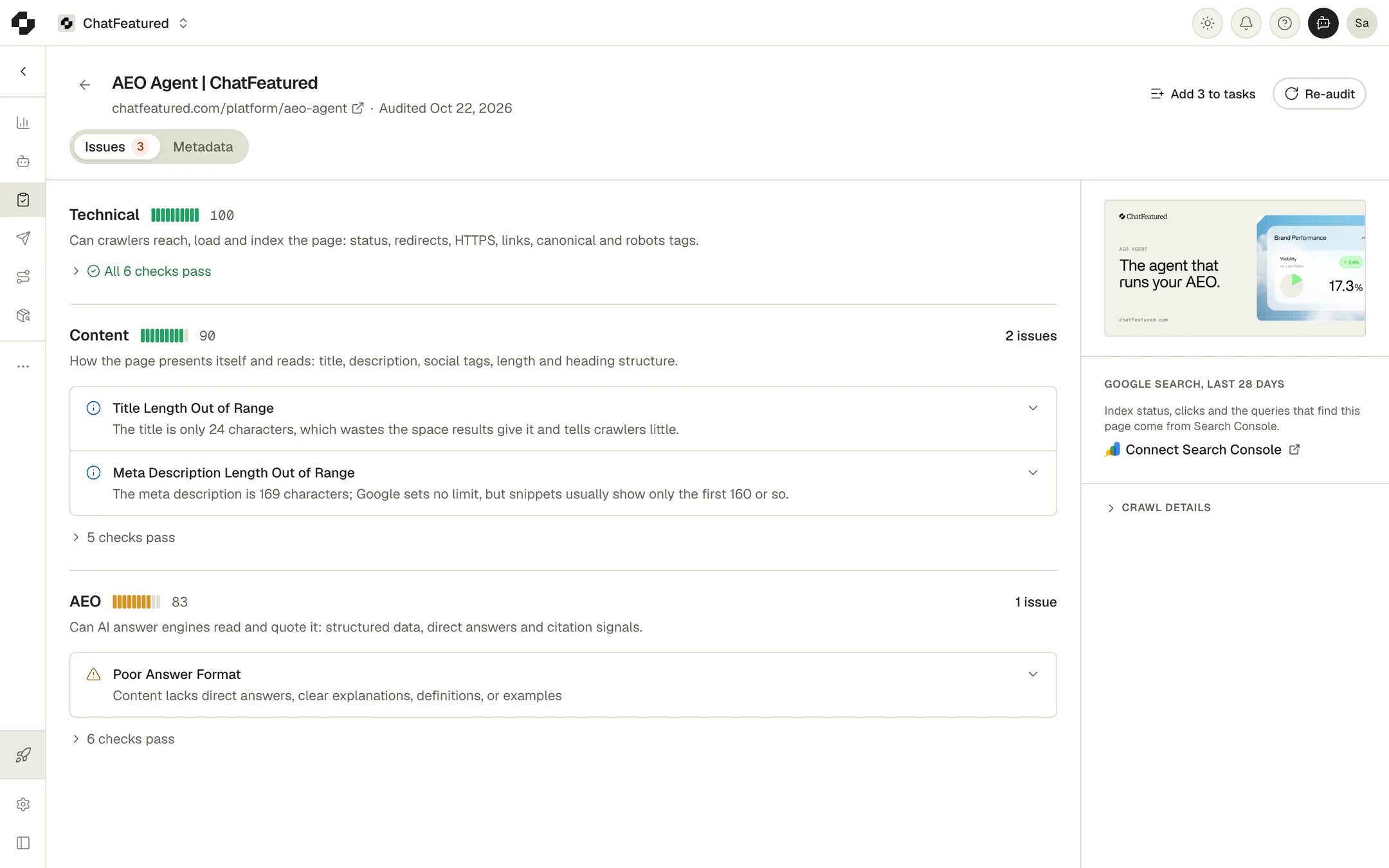
Act on an issue
Each open issue has three actions:- Fix with AI opens the agent in a side panel with the issue and the page loaded.
- Mark as fixed counts the issue as passed straight away. The next audit checks it again.
- Assign creates a task for a teammate.
Multiple sites
The first breadcrumb next to the Site Audit title is the site switcher. Its menu has Add site, Reorder sites and All websites. Subdomains such asblog.example.com are separate sites; www.example.com and example.com are the same site.
Troubleshooting
Invalid domain. Please enter a valid domain that exists.
Invalid domain. Please enter a valid domain that exists.
The domain you entered for a new site didn’t resolve. Check the spelling and enter just the domain, such as
example.com.robots.txt or sitemap shows as a warning about bot protection
robots.txt or sitemap shows as a warning about bot protection
Your site’s firewall or bot protection blocked our request, so the file may exist. Crawlers can hit the same wall. Allow automated requests to
/robots.txt and your sitemap.A page I just published isn't in the list
A page I just published isn't in the list
Click Find new pages to re-read your sitemap, or use Add pages to add the URL directly.